
Link building is the job everyone knows they should do and nobody finishes.
Not because it is hard.
Because it is boring.
Find the pages, check the links, find a real person, write an email that does not sound like spam, track who you pitched, follow up once.
Then do it again next week.
So I wrote down exactly how I do it, every rule and every check, and turned it into a Claude skill.
You tell Claude what you want in plain English.
It picks the tactic, does the digging, and hands you a spreadsheet and a stack of drafted emails.
Get the link building skill. Just give AI your site.
One email when I ship something new. Unsubscribe anytime.
Ten link building tactics, run for you. Drop your email and download the skill straight away, plus get every new skill I build after this one.
- Links you've already earned but lost. Found.
- Links your competitors have that you don't. Found.
- Lists that name your rivals and not you. Found.
- Pages that mention you without linking. Found.
- Dead links that you could replace. Found.
Just give AI your site. It handles the rest... even emails.
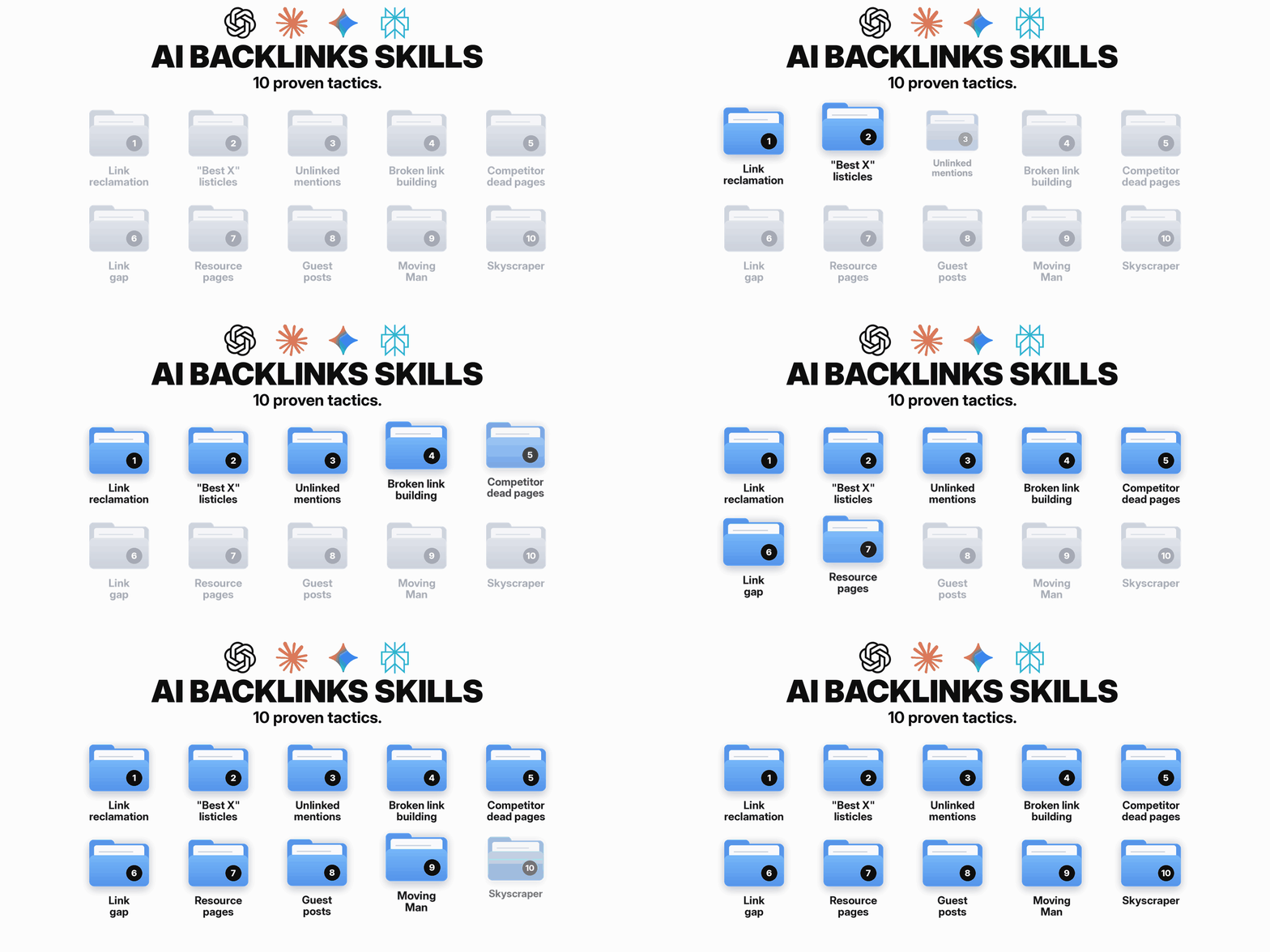
Ten tactics, one playbook each
Every tactic is its own file with a clear rule at every step.
Not “find good prospects”.
But “pass when the list names two or more of your competitors, does not include you, and was updated in the last two years.”
That is what stops it wandering off.
You don’t need to know the names. Each one comes with a starter prompt you can copy:
01Link reclamation
Links you've already earned are leaking right now. Here's how to find them and win them back, sometimes without sending an email.
It checks every old domain and URL you have had before it calls a link lost.
Sometimes the fix is not an email at all. A typo in their link is just a redirect on your side.
02"Best X" listicles
"Best [category]" and "[competitor] alternatives" articles that name your rivals but not you.
Why one "[competitor] alternatives" list can send more customers than fifty random backlinks, and the two-year rule that tells you which lists are worth pitching.
It only keeps lists updated in the last two years, written by someone who actually reviews tools.
Lists run by a competitor, or charging for a spot, get flagged instead of pitched.
03Unlinked mentions
Pages that already name your brand but never linked to you.
The warmest pitch in link building: the writer has already named you. All you ask is for them to add the link.
If your brand is made of common words, it tells you the search was inconclusive instead of pretending there is nothing.
04Broken link building
Resource lists and guides in your niche with dead outbound links.
The "rule of three" that tells you a dead link is worth chasing, and how every site that linked to it becomes another prospect for the same pitch.
05Competitor dead pages
Your competitors' pages that died with backlinks still pointing at them.
It starts from the competitor, not the linking page, so it finds what free crawls miss.
Seven in eight of the sites linking to a dead page are spam scrapers. Here's how to find the one that isn't.
06Link gap
Sites that link to several of your competitors but not to you.
It works out why they link, then routes each one to the tactic whose pitch fits.
Why comparing yourself to Forbes buries you in noise, and who to compare against instead.
07Resource pages
Curated "useful links" pages in your niche.
It only keeps pages someone still looks after: updated in the last 3 years, links mostly working.
And there has to be a section where your page genuinely belongs. Pay-to-be-listed pages are out.
08Guest posts
Blogs that actually ran a guest post in the last 6 months, plus topics they haven't covered yet. Paid placements are filtered out.
It also checks they have 50 or more sites linking to them, so the link is worth the article.
09Moving Man
A tool in your niche shut down or rebranded, and hundreds of sites still link to it. Here's how to offer them yours.
Your own discontinued product pages are the best place to start looking.
10Skyscraper
A competitor's most-linked article on a topic you can own.
Which of your competitor's articles you can beat, and the honest check that stops you wasting a week on one you can't.
Then it pitches the sites that linked to the original.
Which one to run first
If you just say “build links”, it asks for your site and niche.
Then it suggests an order. Quick wins first, the heavy digging after:
Reclamation
Links you already won. Fastest yes there is.
Listicles or unlinked mentions
Listicles if you sell a product, mentions if people already talk about you.
Broken links + competitor dead pages
More digging, more volume. Run once the quick wins are done.
A real run: a brand shuts down
Here is one I ran last week on an affiliate site.
A well known brand in the niche closed down.
Its site didn’t vanish though. It turned into a farewell page.
And thousands of blogs and news sites were still linking to it, sending their readers to a goodbye note.
That is a Moving Man opportunity.
The old thing is gone. The links are still there. And every one of those pages now has a dead end in it.
Here is how the numbers fell:
From 172 pages down to 2 emails.
That is the point.
A worse tool would hand you 172 emails and torch your domain.
Most of the cut is boring and correct:
- pages that went stale
- sponsored roundups where nobody is going to edit a paid post for you
- news sites with no real author to write to
The bit most broken link checkers get wrong
That farewell page returns a normal 200 OK.
To a basic checker, it is a perfectly healthy page.
To a reader, it is a closed shop.
So the skill doesn’t just ask “did it load?”. It sorts every link into one of three verdicts.
It also reads the page for closing notices, parked domains and pages that quietly redirect to the homepage. Click through:
Loads, but something is off. A human looks.
What went wrong the first time
On an early run it told me Creative Commons and Issuu were dead.
They are very much alive.
Checking 40 pages at once made DNS lookups fail under the load.
Now a domain only counts as dead if it keeps failing on repeat lookups. A one-off failure gets dns_flaky instead.
Sending a “your link is broken” email about a working link is the fastest way to get ignored forever.
The email it hands you
Short, specific, and useful to them first.
This is the Moving Man draft from that run, with the names swapped for placeholders:
Hi [first name],
Your [topic] guide links to [old brand]. It closed this year and the page is now a farewell notice.
If you are updating the page, we have a [page] that covers the same ground: [URL].
Thanks for keeping the page useful.
[Your name]
Five sentences.
No “I hope this finds you well”. No “I came across your amazing blog”.
It tells them something is broken on their page, offers the fix, and gets out of the way.
The rules it won’t break
Most link building goes wrong on manners, not data.
These are baked into every tactic, so you get the same behaviour at 9am on a Monday and 5pm on a Friday:
It never sends email
It drafts. You read, tweak and send from your own inbox. Your name, your reputation, your call.
No guessed addresses
Contacts come from bylines, author pages and contact pages. No paid email finders, no firstname@ guesses.
Never pays for links
If a site asks for a fee, it gets flagged for you. The skill never accepts it.
One follow-up, then stop
About a week later, one nudge. Then it leaves them alone.
One conversation per site
It checks the tracker first, so the same site never gets two pitches from two tactics.
Helps them first
Every email leads with what is useful to the reader. Your page is offered as one option, not the point.
What works free, and what needs DataForSEO
Most of the toolkit is free.
It is one Python file with no installs. It checks links, reads sitemaps, looks up Wayback copies, sees if a domain expired, and scans pages for real contact routes.
The backlink lookups (who links to this page, which competitor pages died with links still pointing at them) need a DataForSEO account. You add your login once and the skill connects to it.
It is pay as you go. When I measured it in October, a lookup came to roughly $0.02 to $0.03.
And it always asks first. It shows you the number of calls and a worst-case cost, then waits for a yes.
The DataForSEO link is an affiliate link. I may earn a commission at no cost to you.
- Dead outbound links on any page
- Check a list of URLs, follow redirects
- Expired or unregistered domains
- Wayback history for old pages
- Published emails + contact pages
- How many sites link to a page
- A competitor's linking pages
- Their dead pages that still have links
- Their most-linked live pages
- Sites linking to all of them, not you
Tactic by tactic
Two tactics are completely free.
Three work free and get sharper with DataForSEO.
Five need it, because they start from backlink data you can’t get any other way.
Unlinked mentions
Runs fully free: Finds pages naming you and checks they do not link. DataForSEO is not used.
Resource pages
Runs fully free: Finds resource pages, checks upkeep, finds the contact. DataForSEO is not used.
"Best X" listicles
Without DataForSEO: Searches for the lists and checks whether you are on them.
With DataForSEO: Also pulls every list already linking to your competitors.
Broken link building
Without DataForSEO: Finds resource pages and every dead link on them.
With DataForSEO: Ranks the dead links by how many other sites linked to them.
Guest posts
Without DataForSEO: Finds blogs that take guest posts and suggests topics.
With DataForSEO: Checks each blog has 50+ sites linking to it.
Link reclamation
Without DataForSEO: Checks links you already know about.
With DataForSEO: Finds every link you have lost or that points at a 404.
Competitor dead pages
Without DataForSEO: Lists a competitor's old URLs from Wayback.
With DataForSEO: Finds which dead pages still have links, and who links to them.
Link gap
Without DataForSEO: Not possible without backlink data.
With DataForSEO: Finds sites linking to your competitors but not you.
Moving Man
Without DataForSEO: Finds closed or rebranded brands and where they went.
With DataForSEO: Finds every site still linking to the old name.
Skyscraper
Without DataForSEO: Reads the top results for a topic.
With DataForSEO: Finds a competitor's most-linked pages and who links to them.
Run all ten for one site and you will spend well under a dollar.
One spreadsheet for everything
Every tactic writes to the same tracker CSV in your project folder.
Who you found, what is broken, who to contact, where you found them, and where the conversation is up to.
Come back in a week and say “which of these are due a follow-up?”.
It knows.
or declined / no_reply. Rows are added, never deleted, so nobody gets pitched twice.
What to steal from this
Even if you never install it, these four will make your link building better.
Start with what you already won
Reclamation first. Lost links are the cheapest yes in SEO.
Never trust one dead check
Re-check before you pitch. A false "broken" email burns the contact.
Keep sending human
Let the robot dig. You send. That split is why people reply.
Package the routine
A skill locks in the boring rules you would skip at 5pm on a Friday.
What is inside
It is just a folder.
Plain markdown playbooks, one Python script and a spreadsheet template.
Because it is plain text, it works with any AI agent that can read files: Claude Code, Codex, Cursor and the rest.
Get the link building skill. Just give AI your site.
One email when I ship something new. Unsubscribe anytime.
Ten link building tactics, run for you. Drop your email and download the skill straight away, plus get every new skill I build after this one.
- Links you've already earned but lost. Found.
- Links your competitors have that you don't. Found.
- Lists that name your rivals and not you. Found.
- Pages that mention you without linking. Found.
- Dead links that you could replace. Found.
Just give AI your site. It handles the rest... even emails.
Rather not run it yourself?
We built this into Answer Socrates too.
Same tactics. No folder, no terminal.
Add your team members so everyone works from the same list.
And you get a proper visual view of it working, not a spreadsheet.